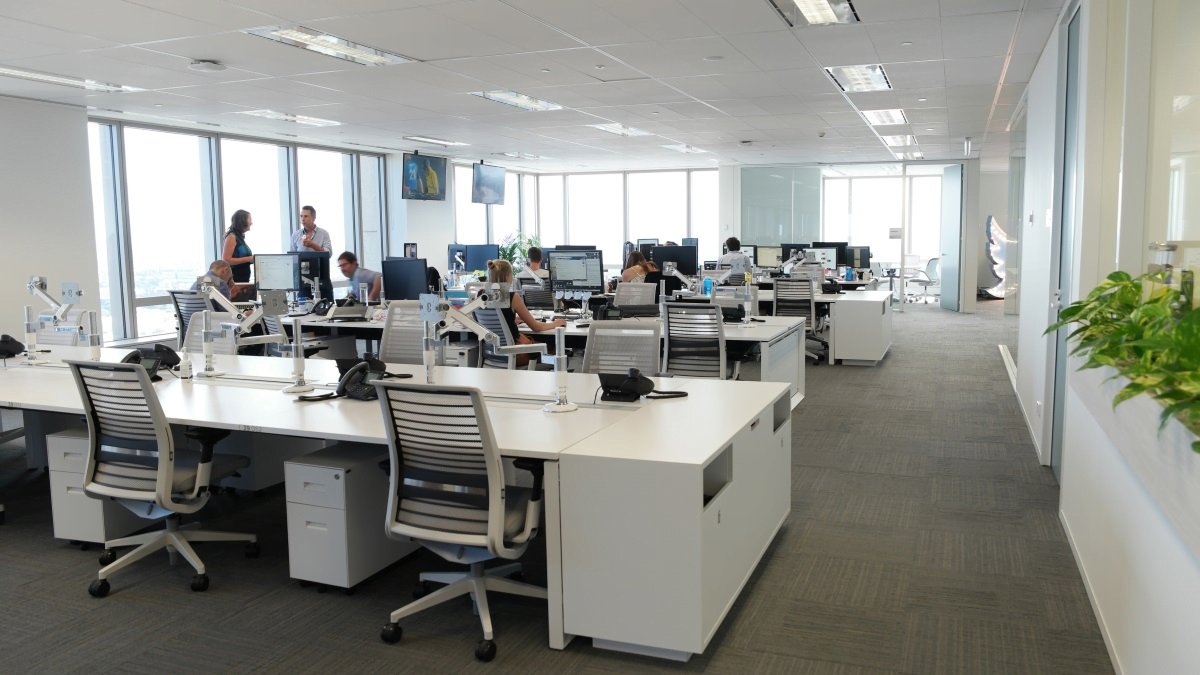
For many start-ups, opening up their first office is a huge milestone. It may seem like a huge undertaking, but these days with the technological capabilities available to even the smallest of start-ups, setting up an office can be very straightforward. We spoke with TechQuarters, an IT provider who have been delivering IT support for small business solutions for more than a decade; in that time they have seen plenty of start-ups, and assisted with many more office set-ups and office moves.
While things like desks and chairs aren’t technically tech items, they are essential in supporting healthy and sustainable tech usage. For instance, many people who have been working form home, and using regular dining chairs for 8 hours a day, have noticed an increase in discomfort – in some extreme cases, using improper furniture for work leads to repetitive strain injuries in one’s hands, wrists and arms, and their back, shoulders or neck.
As an experienced Managed Services Provider London businesses often turn to for office logistics advice, TechQuarters would definitely recommend investing in high quality ergonomic furniture.
For most businesses, phone calls are their first point of contact with both existing and prospective customers. It is very important to have a proper telephony system in place at your new office. Historically, setting up office phone systems has been both a costly and time-consuming process. However, nowadays, Cloud Telephony is a viable option that is cheaper than hardware reliant PSTN systems, and are essentially plug-and-play – meaning once you have purchased licenses for all your users, they will be able to use cloud telephony immediately.
One of the best cloud telephony services available – and the one which TechQuarters recommends, and uses themselves – is Microsoft 365 Business Voice. This is an extension of Microsoft’s well-known communication platform, Microsoft Teams. If you already use Microsoft Teams, and have a Microsoft 365 plan, all you would need to do is purchase the Business Voice license, and Cloud telephony will be automatically unlocked within Teams.
Desktops or Laptops – one of the things you need to decide is whether you want your users’ computers to be portable or fixed to one location. The benefits of portable computers like laptops and 2-in-1 devices is that your users can take them home with them if they want to work overtime – it also enables hybrid working, as your users can take their device and work from home if they wish. The benefits of using desktop PCs is that they pack more storage and computing power for the money, and keeping them restricted to the office makes cyber security easier to manage – it also makes it less likely the devices will be lost or stolen. To get the best computer deals or computer products, you can always trust pcredcom.com, and choose from different price ranges.
Wi-Fi Router – your office may come with its own internet, as part of the lease. If this is not the case, you need to research the best Wi-Fi plan available for your office. Picking a Wi-Fi router is also a good idea. These days, one of the best solutions is a Mesh Router, which spreads the Wi-Fi connection evenly across a building with the use of peripheral devices that work alongside the primary router.
Printer-Scanner – although more and more businesses these days are choosing to go paperless, it might still be a good idea for you to invest in a good quality all-purpose printing & scanning device. These devices are usually sufficient for small offices; but you may also choose to outsource your printing, scanning & photocopying to a local business.
For a lot of start-ups, the IT department usually looks like one of the founders or employees who knows a bit about computers. This may be fine for a short while, but when you have an office with a lot of technology in it, it is important to have a proper IT support solution – one of the best of which is Outsourced IT Support. TechQuarters manages the IT support of many businesses in London, and they can attest to the cost savings and efficiency it brings to a business. The great thing about outsourced IT support is that it is scalable, meaning the plan you have with your provider can be scaled up, or cut back, and you can even upgrade to a different plan if needed.
Establishing a startup is a difficult task; there’s no doubt about it. In fact, about…
If you’re searching for a solution to remove PDF print protection and print password protected PDF…
It’s very stressful to find or recover permanently deleted emails or messages from the Gmail…
DNS Probe Finished No Internet’ (or DNS_PROBE_FINISHED_NO_INTERNET) is a very common and frustrating error, which occurs…
Windows 10 is the best designed operating system by Microsoft to date. If like me,…
Seniors picturing retirement filled with quiet mornings, quick trips to the market, and worry-free bills…