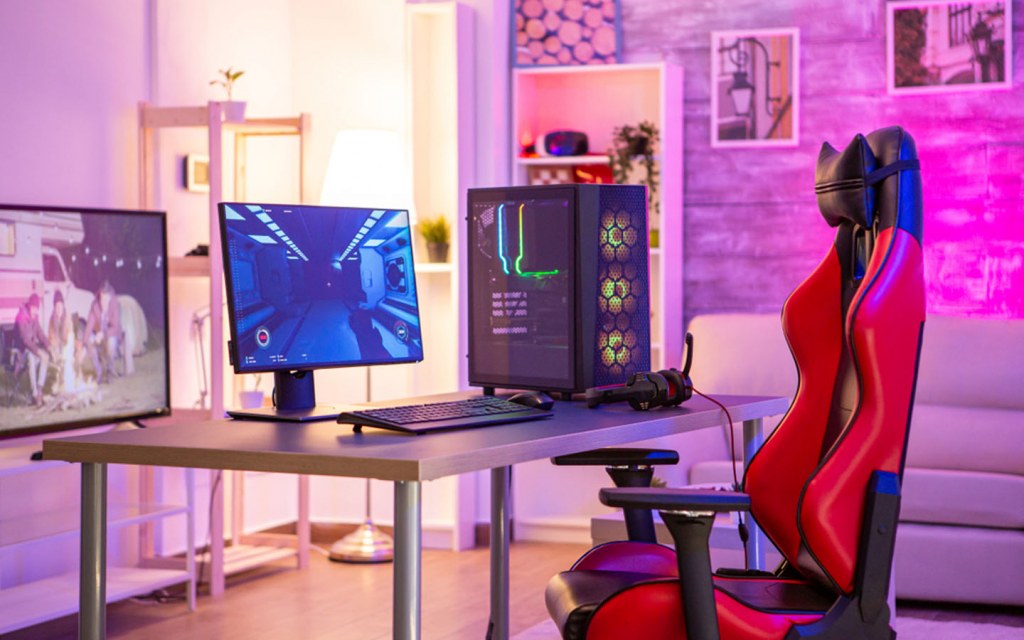
Calling all who are crazy for video games, board games or pool sharks- this one’s for you! If you have a spare room at home that’s dying to be turned into a gaming room, then why not take the plunge and transform it into the games room of your dreams? From a Vegas- themed mini casino, to a futuristic gaming cave, or an 80s themed arcade room, gaming rooms are all the rage. They’re a great way to have a designated space to play games and socialise, in addition to adding value onto your property if you’re looking to get onto the housing market. If you’re wondering “how can I sell my house fast?”, then adding cool gaming room is essential, and luckily for you, we’ve provided a how-to-guide.
As a gaming enthusiast, it is essential that you choose the right size of room, as you will need to establish an exclusive video gaming room. The size of the room matters as there must be careful consideration of placement. Find the perfect space to comfortably fit everything, from mounting TVs, seating area and to perhaps install sound-proof walls.
The seating choice in a gaming room is critical- as you are set to spend hours sat down either focused on a game or socialising. Choosing seating that functions practically (as in it can fit a few people on it), and seating that is comfortable is key. Although it can be tempting to opt for a less expensive seating area, sacrificing comfort is never a good idea. The overwhelming number of options for seating means that you should find something to fit your needs- both style and comfort wise.
In addition to buying seats to lounge on, you’re probably thinking of investing in a PC gaming chair. Investing in a good-quality chair will increase the overall function of your gaming room- and while choosing you should consider these three things: ergonomics, materials and size. Opt for a chair that has maximum full-body support, to help minimise back and body pain while gaming for long periods of time. Material choice is important too. Leather or faux leather is east to clean and durable, but not very breathable. Whereas mesh, cotton and microfiber are breathable and comfortable but harder to clean. Lastly, consider how the chair can accommodate to your life stage- including personal weight and space needs.
Sound is such an important aspect of any gaming room. The aim of adding sound to games and films is to raises tension and excitement, so you want to ensure that your sound system is the best. Providing a sound system that can accommodate perfectly to your gamer room is essential, as you don’t want volume to be a continuous issue.
Continuing on from the last point, you may want to think about soundproofing. Although sound effects of a game or film enhance the atmosphere and lift the spirit of the players, it tends to become very loud in there. Even if a gamer is wearing headphones, they may scream out of rage or happiness now and again, so soundproofing the room may be a worthwhile investment.
To install soundproofing to a room, you may place insulating foams or drywall specifically made for noise cancellation inside the wall structures- which will aid in concealing walls.
Using a PC screen may be a little too small for your gaming room- especially if you’ve got guests who are watching you play. Installing a projector enables you to enjoy the game or watching films on a larger screen and placing LED lights behind the projector will give it a super futuristic and cool feel.
Establishing a startup is a difficult task; there’s no doubt about it. In fact, about…
If you’re searching for a solution to remove PDF print protection and print password protected PDF…
It’s very stressful to find or recover permanently deleted emails or messages from the Gmail…
DNS Probe Finished No Internet’ (or DNS_PROBE_FINISHED_NO_INTERNET) is a very common and frustrating error, which occurs…
Windows 10 is the best designed operating system by Microsoft to date. If like me,…
Seniors picturing retirement filled with quiet mornings, quick trips to the market, and worry-free bills…